AD / Production
Stripboard Template
Free film stripboard template with colour-coded strips for INT/EXT and day/night, plus banner rows for day breaks. PDF and spreadsheet, no signup.
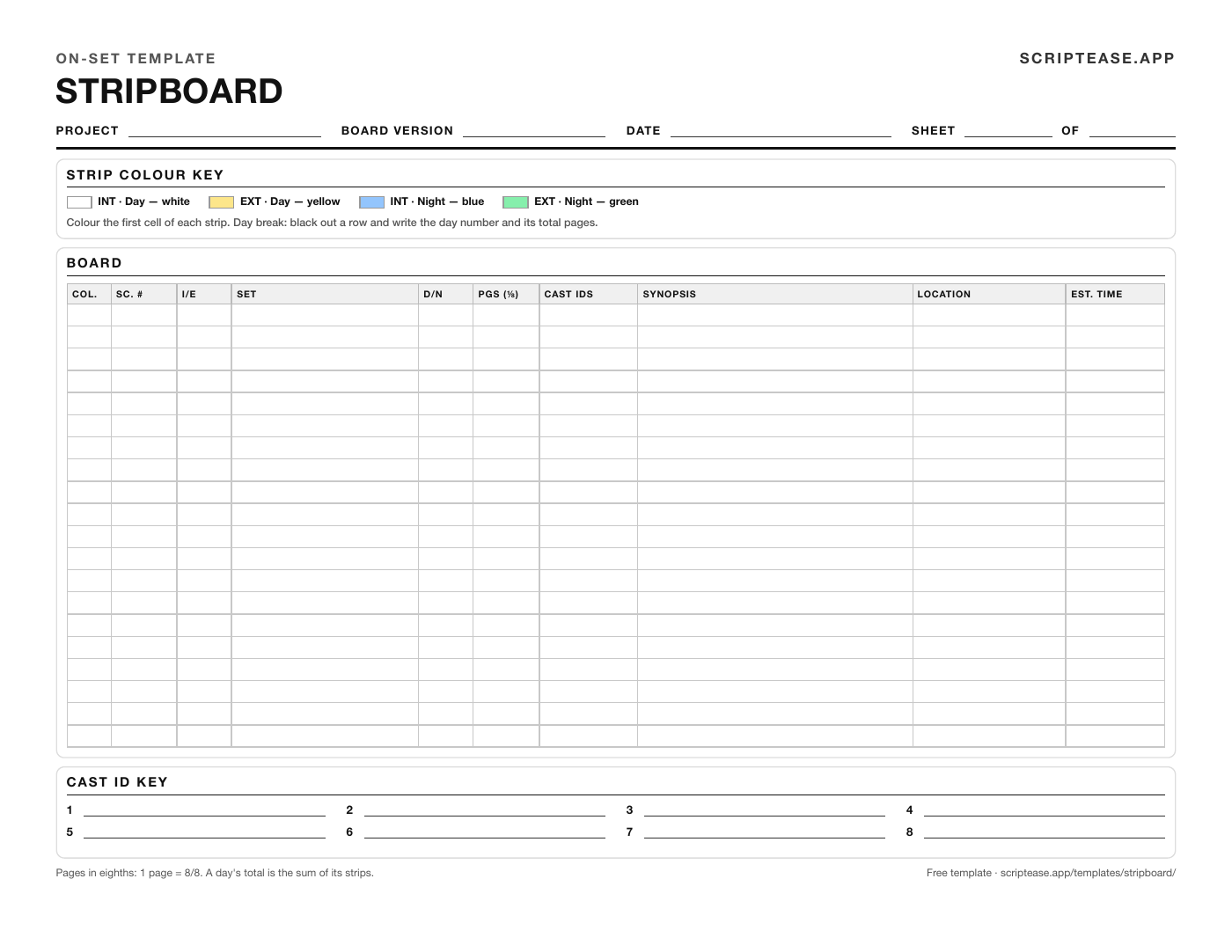
A stripboard is the shooting schedule as a column of strips, one per scene, sorted into shoot days. Each strip carries the scene number, interior or exterior, day or night, page count and cast, and its colour tells you the type of scene at a glance. The 1st AD builds it from the script breakdown.
This template has a 20-strip board with a colour key and a cast ID key on one landscape US Letter page. The spreadsheet version for Google Sheets or Excel colours each row from its INT/EXT and day/night drop-downs and totals pages per shoot day. There's no A4 PDF yet; the spreadsheet prints on A4.
Strip colours
Most productions colour strips like this:
| Scene | Strip colour |
|---|---|
| INT · Day | White |
| EXT · Day | Yellow |
| INT · Night | Blue |
| EXT · Night | Green |
| Day break | Black |
That is a convention, not a rule. It's the generic scheme listed on Wikipedia's production board page and in Wrapbook's shooting schedule guide. Productions vary. Wikipedia lists Movie Magic Scheduling with the night colours swapped (green for interior night, blue for exterior night), and some scheduling guides use dark blue for interior nights. Use whatever your 1st AD uses, and print the key on the board so nobody has to guess.
Day breaks and banners
A day break strip ends each shoot day. It's usually black, with the day number and that day's total pages written on it, e.g. "END OF DAY 3 · 5 2/8 pgs". On this sheet you black out a row; in the spreadsheet you type END OF DAY 3 in the scene column and the row turns black.
A banner is a strip that isn't a scene: a company move, a day off, a holiday, or a note like "rain cover: swap with Day 6".
How to build a stripboard from a script breakdown
- Finish the script breakdown first; every strip is copied from a breakdown sheet.
- Make one strip per scene: number, I/E, set, D/N, page count in eighths, cast IDs and a one-line synopsis. Colour the first cell from the key.
- Group the strips by location, then by set. A company move costs more time than anything else on the board.
- Inside each location, group by day and night, then by cast, so an actor's scenes land on as few days as possible.
- Cut the groups into days with a day break strip. Total the eighths for each day and compare it with the pace you can hold; our guide to pages per day has the typical ranges.
- Check every day against cast and location availability, then add banners for company moves, days off and holidays.
- Number and date the board version; every change after the call sheets go out gets a new one.
What's on a strip
- Sc. # — Scene number from the locked script, including A and B scenes.
- I/E — Interior or exterior. INT/EXT counts as exterior for the colour.
- Set — The story location from the scene heading.
- D/N — Story time of day, not the time you shoot it.
- Pages in eighths — Length in eighths of a page: 1 3/8 pages is eleven eighths.
- Cast IDs — Cast numbers from the breakdown, with the key at the foot of the sheet.
- Synopsis — One line on what happens.
- Location — Where you actually shoot it; three sets can share one house.
- Est. time — How long it takes to shoot, judged from its setups, not its pages.
Stripboard example
Day 1 of a three-day short, two locations, laid out the way the 1st AD would hand it to the producer:
| Strip | Sc. | I/E · D/N | Set | Pages | Cast | Location |
|---|---|---|---|---|---|---|
| White | 12 | INT · DAY | Kitchen | 2 3/8 | 1, 2 | Hartley house |
| White | 14 | INT · DAY | Hallway | 6/8 | 1 | Hartley house |
| Yellow | 15 | EXT · DAY | Porch | 1 1/8 | 1, 3 | Hartley house |
| Blue | 31 | INT · NIGHT | Kitchen | 1 4/8 | 1, 2 | Hartley house |
| Black | — | END OF DAY 1 | 4 scenes | 5 6/8 | ||
| Grey | — | BANNER | Company move to Riverside Diner |
Example values from a fictional production.
Common mistakes
- Adding page counts as decimals. Eighths don't carry like tenths: 6/8 + 4/8 is 1 2/8, not 1.0. Total in eighths and convert at the end.
- Scheduling a day by page count alone. Two pages of dialogue in one room are not two pages of stunts or a crowd; use the estimated time column.
- Forgetting cast availability. An actor who is only free on Tuesday decides where their scenes go before anything else does.
- Not grouping by location, so the unit moves twice a day and loses an hour each time.
Paper, spreadsheet or scheduling software?
For a short with a few locations and a few dozen scenes, this sheet or the spreadsheet is enough: cut and reorder printed strips, or sort rows.
Software earns its keep when the script is still changing or the shoot runs past a couple of weeks, because a paper board doesn't know about the rewrite.
Scriptease builds the strips from the breakdown of the script in the same project and colours them by INT/EXT and day/night. You drag a strip to reorder the day, and each day break shows that day's scene count and pages in eighths. Banners hold notes like a company move. The board prints to PDF or exports to CSV, for all days or a single day, and the call sheet and Day Out of Days come from it. Our stripboard software page compares it with Movie Magic Scheduling, StudioBinder and the rest.
Free to download and use on any production, commercial or not. No attribution required, no signup. Please don't resell them or repackage them as your own.